

Lasercutting is a digital fabrication process that uses a focused laser beam to cut or engrave materials like wood, acrylic, plastic, cardboard and paper with high precision.
With a lasercutter you can quickly turn designs into physical objects, supporting rapid prototyping, creativity, and collaborative projects.
You make your design for lasercutting in a vector-based drawing-program.
Resources

Inkscape
Inkscape is a free, open-source vector graphics editor used to create scalable illustrations, logos, diagrams, and complex art.
Inkscape supports both .svg and .dxf formats and is a great tool for making your lasercutting designs.

boxes.py
Boxes.py is an open-source box generator to create boxes and more with a laser cutter. It features finger and (flat) dovetail joints, flex cuts, holes and slots for screws, hinges, gears, pulleys and much more.
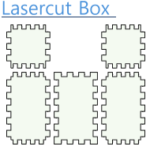
Lasercut Box
Lasercut Box is an extension for Inkscape. It is a tool for making tabbed boxes, but works directly inside of Inkscape.
Download the extension as a zip-package – then follow the guide below to install this nice Inkscape-extension.
Guides & Tutorials
Install the Lasercut Box Inkscape Extension
Hidden item
Step #1
Step #2
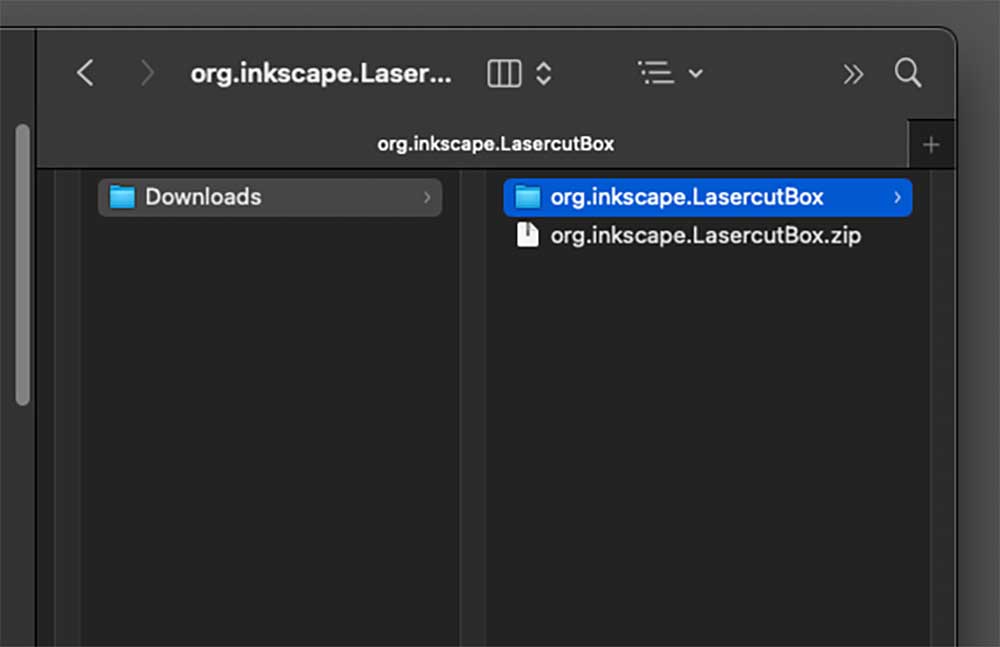
Unzip the downloaded zip-file.
You now have a folder with the name org.inkscape.LasercutBox
Step #3
Open Inkscape and go to Preferences
- Mac: menu Inkscape –> Settings…
- Windows: menu File –> Preferences
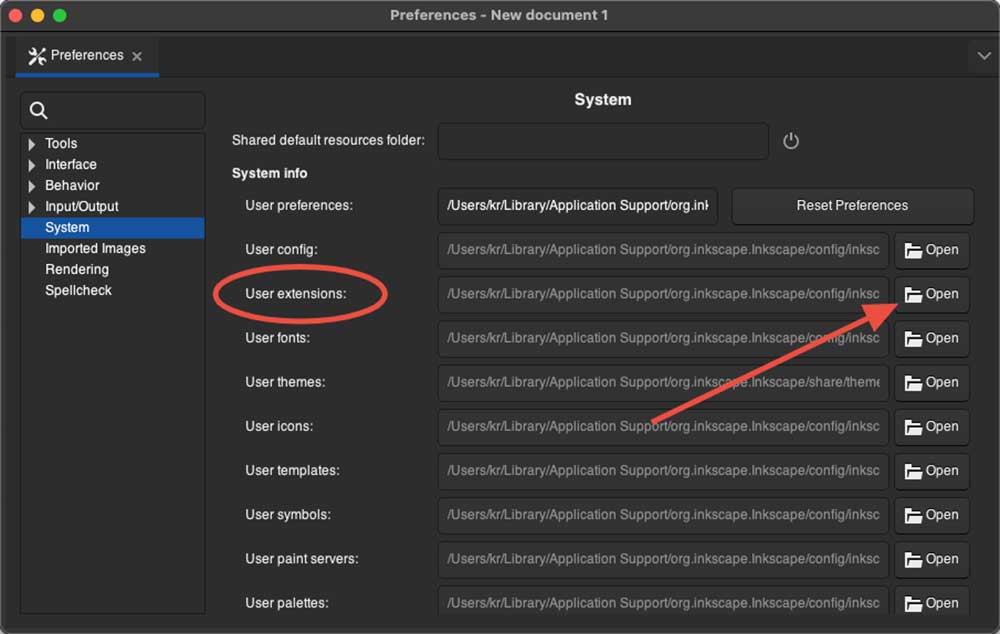
Select System to see the location of the folder User extensions.
Click Open in the right side to open the extensions folder.
Step #4
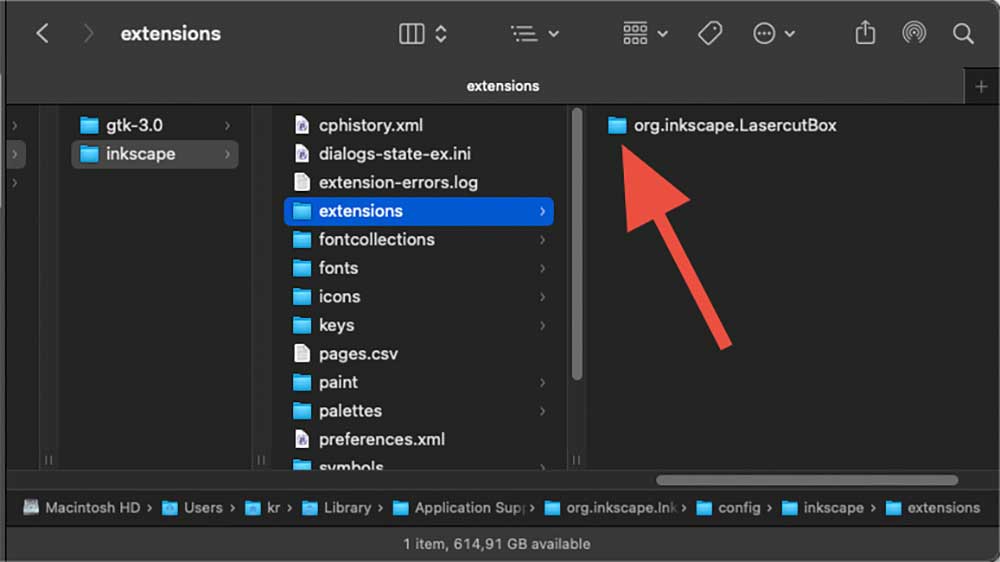
Copy the folder org.inkscape.LasercutBox from Step #2 to the Inkscape extensions folder.
Restart Inkscape.
Step #5
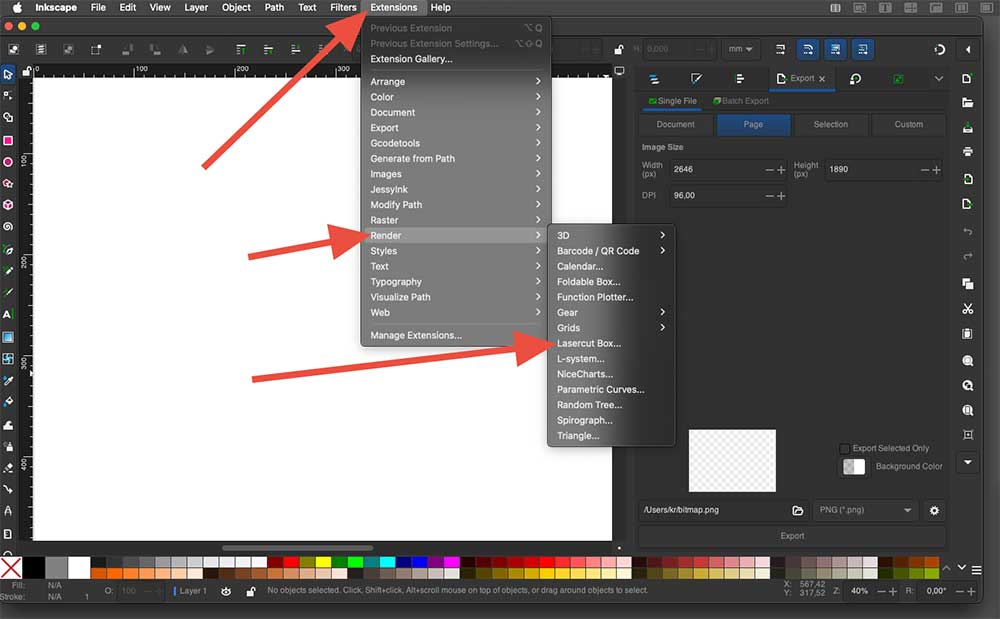
You can use the extension in Inkscape by going to:
Extensions –> Render –> Lasercut Box…
Install the Jigsaw Inkscape Extension
Hidden item
Step #2
(image below shows another extension)
Step #3
Open Inkscape and go to Preferences
- Mac: menu Inkscape –> Settings…
- Windows: menu File –> Preferences
Select System to see the location of the folder User extensions.
Click Open in the right side to open the extensions folder.
Step #4
Restart Inkscape.
Step #5
(image below shows another extension)
Files for exercises
The logo of Odder Højskole has a nice shape, that you can try to recreate using the drawing tools in Inkscape.