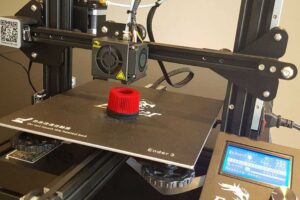
3D printing is a digital fabrication process where objects are built in plastic material layer by layer from a digital model.
With a 3D-printer you can turn designs into physical objects and make parts for use in all kinds of maker-projects.
You create 3D-designs in a CAD-program and prepare your design for
3D-printing using a Slicer-program.

Resources • CAD-programs

Tinkercad

Tinkercad is a simple, browser-based 3D-design tool that lets users create models using intuitive shapes and drag-and-drop controls.
You have to make an account, but Tinkercad is free and a great
tool for designing objects for 3D-printing.

Fusion 360

Fusion 360 is a professional 3D-design and engineering tool for 3D-modeling, simulation, and manufacturing tools in one platform.
It is great for creating precise designs for 3D printing.
Fusion is free for personal use – and you have to make an account.
FreeCAD

FreeCAD is a free and open-source 3D CAD program developed by the FreeCAD Project. It’s well suited for a makerspace because it allows users to create precise, parametric designs for 3D printing.

Resources • Slicer-programs

BambuStudio

Use BambuStudio to prepare prints for the BambuLab P2S.

PrusaSlicer

PrusaSlicer supports our Creality Ender 3 printers.
(Kaspers favorite slicer…)

Cura

Cura supports our Creality Ender 3 printers.
(Jakobs favorite slicer…)

OrcaSlicer

OrcaSlicer supports our Creality Ender 3 printers.
Support for the BambuLab P2S should be coming…
[ Download: scroll to the bottom to find the installation file ]

Guides & Tutorials

Install Lasercut Box

Hidden item

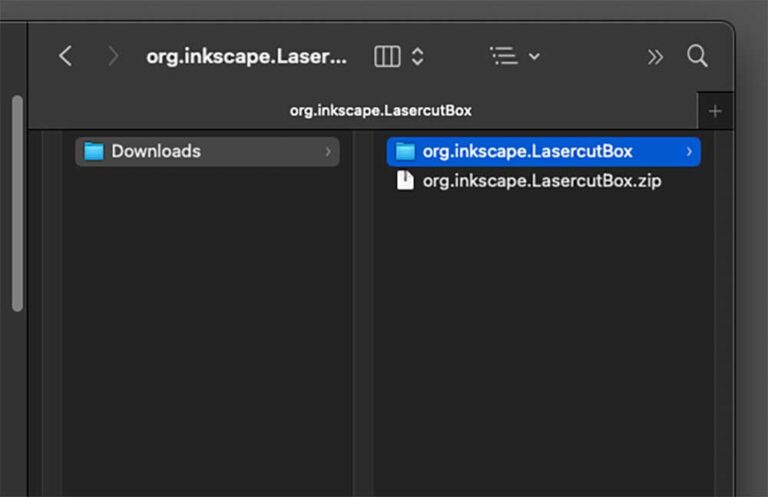
Unzip the downloaded zip-file.
You now have a folder with the name org.inkscape.LasercutBox

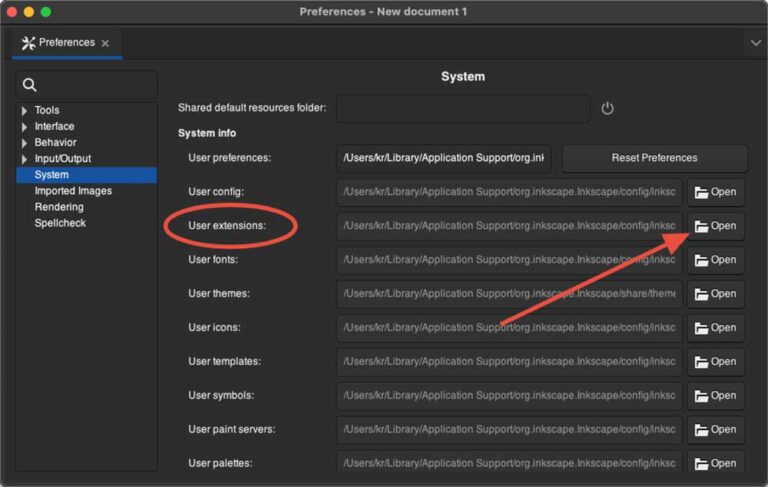
Open Inkscape and go to  Preferences

  • Mac: menu Inkscape –> Settings…
  • Windows: menu File –> Preferences

Select System to see the location of the folder User extensions.
Click Open in the right side to open the extensions folder.

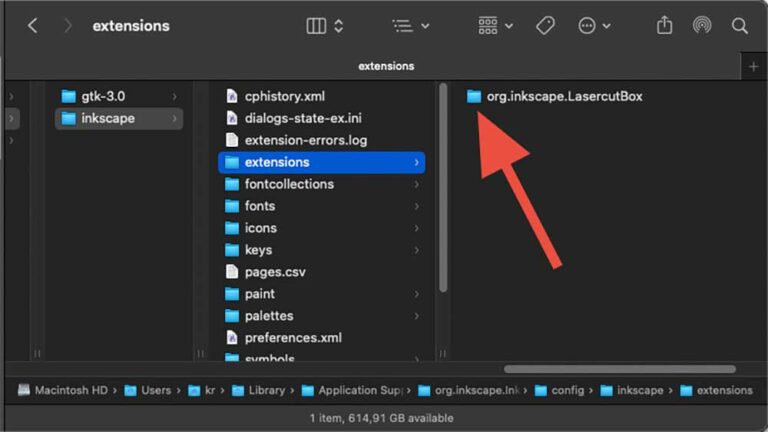
Copy the folder org.inkscape.LasercutBox from Step #2 to the Inkscape extensions folder.
Restart Inkscape.

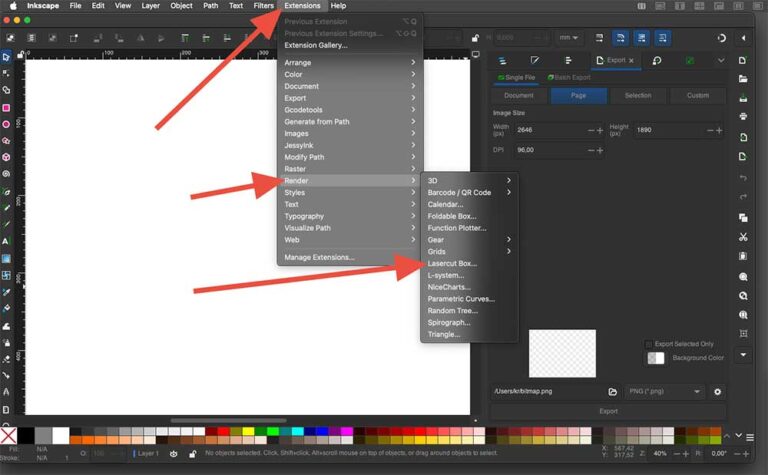
You can use the extension in Inkscape by going to:
Extensions –> Render –> Lasercut Box…

Files for exercises

The logo of Odder Højskole has a nice shape, that you can try to recreate using the drawing tools in Inkscape.

Guide #3

Guide #4

3D print

3D-drawing – Tinkercad

Slicer – OrcaSlicer

Slicer – Bambu Studio

Eksempel-stl – bottleholder.stl